
Figma design company
A product Figma team for UI—not a freelancer sending loose frames. We run discovery, Figma workshops, and developer handoff for teams across India and worldwide.
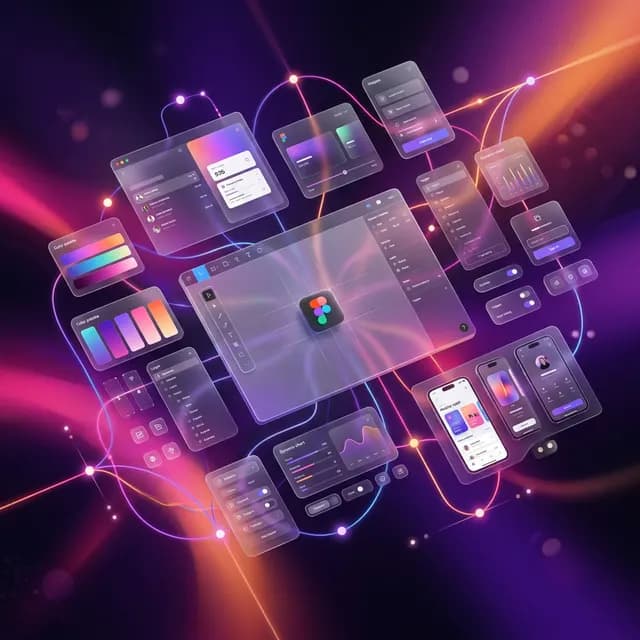
Design
Hire a Figma design team for web and mobile UI, clickable prototypes, Auto Layout components, and Dev Mode handoff—so engineering ships what was approved, not a guess.
What people search
Clear Figma UI, prototypes, and design systems—from a team that also writes the code.
A product Figma team for UI—not a freelancer sending loose frames. We run discovery, Figma workshops, and developer handoff for teams across India and worldwide.
High-fidelity Figma UI design plus clickable prototypes so founders, sales, and engineers can walk the flow before a sprint starts.
Shared components, variants, Auto Layout, and tokens so new screens reuse the same buttons, forms, and type—instead of redrawing every module.
Mobile app UI and marketing/product website UI in one Figma source of truth, with responsive frames and Dev Mode specs for build.
Where we deliver
Remote Figma projects for product teams anywhere. Visit the India office when a workshop helps.
India
Figma files, reviews, and optional front-end build with the same product team that ships the app.
Worldwide
Shared libraries, video critiques, and Dev Mode handoff for teams in the Gulf, Africa, Southeast Asia, US, and Europe.
Delhi NCR
Noida and NCR startups hire our designers for design systems and prototypes without standing up a full in-house UI team.
Remote delivery
Web and app UI in Figma with Auto Layout, variants, and specs developers can inspect.
Overview
Kiash Infotech is a Figma design company. We design product UI in Figma: screens, variants, interactive prototypes, and shared component libraries that developers can inspect. Teams across India and overseas use this when they need a Figma UI designer—not a slide deck of disconnected mockups.
Problems we solve
Capabilities
High-fidelity web and mobile screens in Figma with Auto Layout, not static artboards.
Buttons, forms, nav, and variants as a shared library your team can extend.
Clickable journeys for demos, usability checks, and stakeholder sign-off.
Naming, tokens, states, and Dev Mode specs that cut implementation guesswork.
Features
Benefits
Why Kiash Infotech
Technologies
Process
Our shared engineering rhythm, applied to this engagement.
01
We document goals, constraints, users, and success metrics—then align on a practical delivery plan.
02
Information architecture and interface design establish clarity before engineering accelerates.
03
Interactive prototypes validate flows with stakeholders so feedback arrives before costly build cycles.
04
Engineering proceeds in transparent increments with environments that support review and iteration.
05
Functional, regression, and release checks protect stability across devices and critical user paths.
06
Production release is planned with rollouts suited to web, cloud, or app store distribution.
07
After launch we remain available for fixes, enhancements, and operational guidance.
Industries
Related
Map journeys, prototype flows, and craft interfaces people understand on the first visit—ready for engineering handoff.
Compose marketing websites that feel premium, load with hierarchy, and guide visitors toward a clear next step.
Ship Android and iOS experiences that feel fast, stable, and worth opening every day—backed by solid APIs and release discipline.
From MVP to multi-tenant production—subscription logic, isolation, and cloud operations that support real customers.
FAQ
Yes. We design web and mobile UI in Figma for teams across India and worldwide, then can implement with our engineering team.
Yes. We can start with a Figma design system, a clickable prototype, or a set of production screens. Scope is agreed in discovery so you are not paying for a full product redesign if you only need a library.
That is the point of this service. We organize pages, Auto Layout, variants, states, and Dev Mode so your developers (or ours) can inspect spacing and assets without Slack guesswork.
Yes. We take Figma UI/UX and design-system work from across India and worldwide via video workshops and shared Figma files.
UI/UX covers research, journeys, and product experience. This page is for Figma execution: component libraries, prototypes, and developer-ready files. Many clients use both.
Next step
Share goals, constraints, and timeline—we’ll respond with practical next steps.